A First Look at the Retention Messaging API

Apple’s Retention Messaging API, announced back in July 2025, allows developers to show custom content in the cancellation flow for their app’s subscriptions to reduce churn. Retention messages are visible on devices running iOS 15.1 or later, iPadOS 15.1 or later, visionOS 1 or later, and macOS 14 or later. In the following, we first take a closer look at what can actually be displayed in that screen. Then we get our hands dirty and walk through how the API works in practice to show our own content. Last but not least, we look at the analytics Apple provides to evaluate how users engage with these retention messages.
What is the API capable of?
Whenever users decide to cancel a subscription, they are shown Apple’s cancellation confirmation screen. This is where the Retention Messaging API comes in. Apple itself distinguishes four retention message types. From a design perspective, however, it is still useful to think of five different presentation options, because text-based retention messages can appear in multiple variants. In the following, we walk through those five variants.
Text-based Message
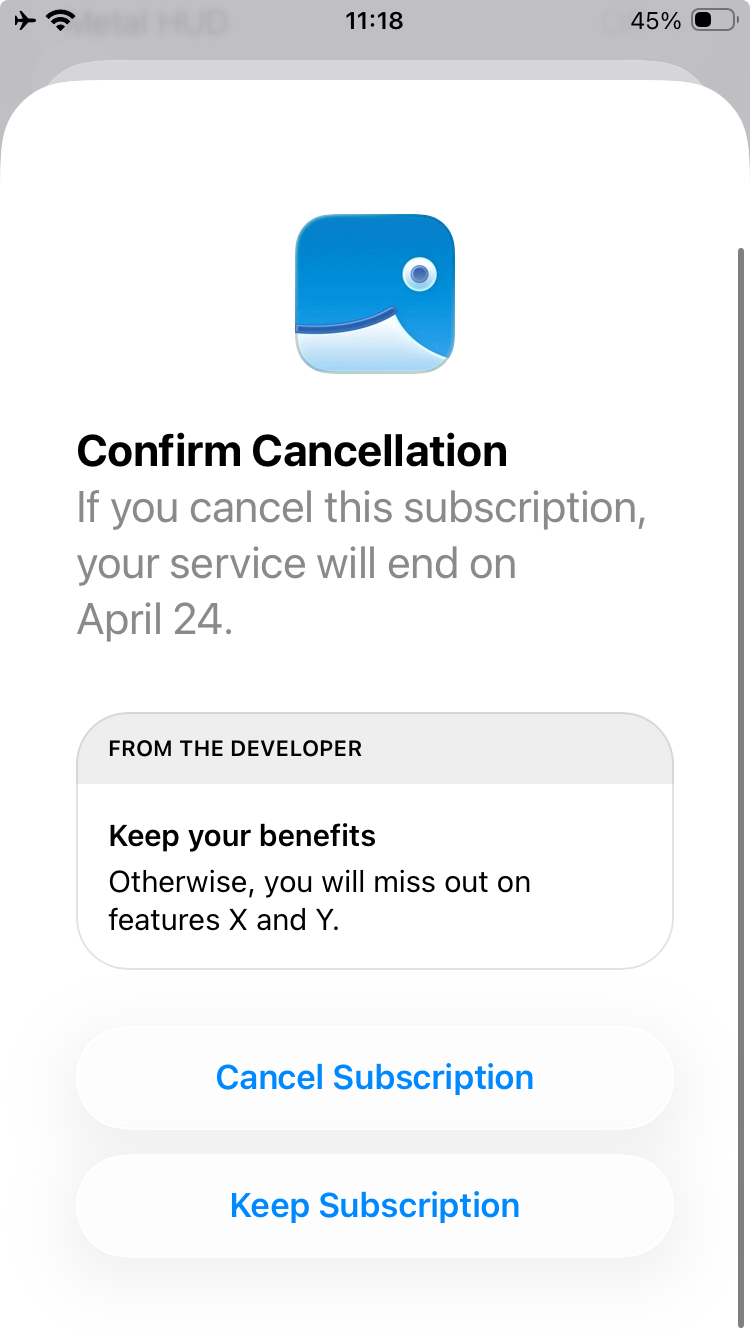
The simplest option is a plain text-based message. It always requires both a header and a body. The header can contain up to 66 characters, while the body can contain up to 144 characters. Both can include emojis.
Text-based Message with Image
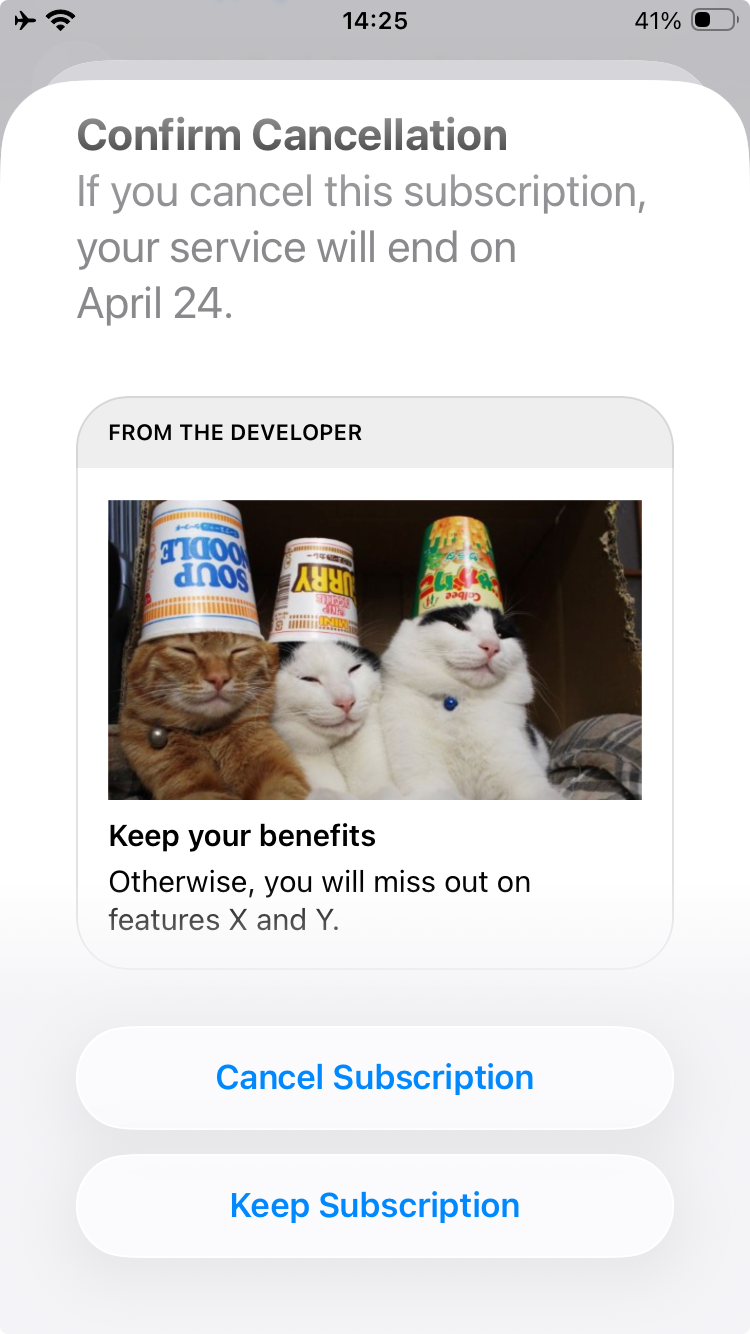
A text-based message can optionally include a main image. That image has to be 3840 pixels wide and between 160 and 2160 pixels high. It needs to be uploaded as a PNG, must not contain transparency, and requires alt text.
Apple also supports two possible positions for the header. Either it appears above the body, which according to the documentation should be the default, or it appears above the image by setting headerPosition to ABOVE_IMAGE. In my own testing, however, I was not able to get the position above the image to work.
Text-based Message with Bullet Points
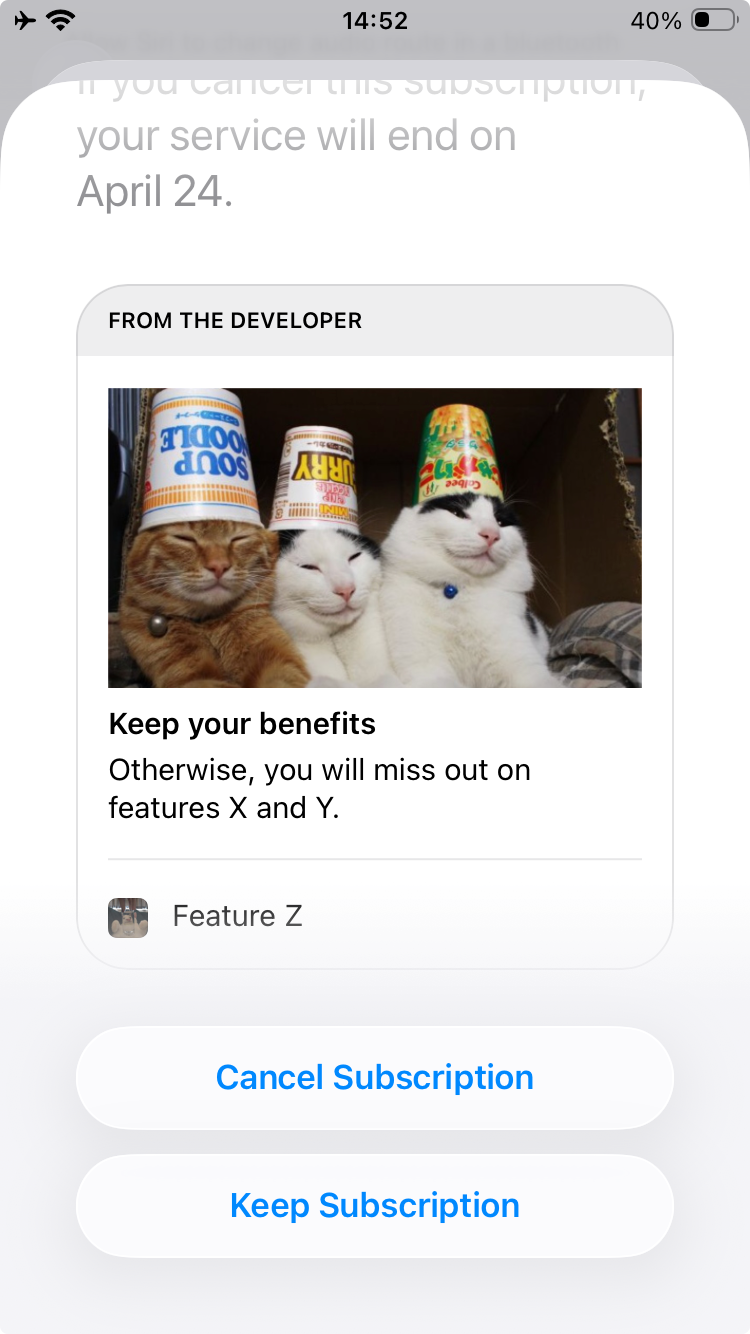
Another way to enrich a text-based message is through bullet points. Each bullet point consists of a short text, an image, and alt text. The text is limited to 66 characters. Similar to the full-size image, the bullet image must be uploaded as a PNG and must not contain transparency. The main difference is its size, which has to be exactly 1024 by 1024 pixels.
Apple documents a dedicated error for too many bullet points, but the public documentation does not clearly state the exact maximum number.
Switch-plan Message
A retention message can also suggest an alternative subscription for users to switch to. This still uses the familiar header and body, but it must remain text-only. In other words, switch-plan messages cannot include images or bullet points.
Promotional-offer Message
Finally, a retention message can be used to present a promotional offer for the currently active subscription. Similar to a switch-plan message, a promotional-offer message requires a header and a body, but it cannot include images or bullet points.
Setting Up Serverless Retention Messages
For plain text messages, as well as text-based messages that include an image and or bullet points, Apple allows developers to configure defaults. Those defaults are then used automatically for a specific product and locale.
Retrieving the API Key
To validate communication with Apple’s servers, developers need a dedicated key. It can be created in App Store Connect under Users and Access, then Integrations, and finally In-App Purchase. After creating the key, developers also need to note down the key ID and issuer ID.
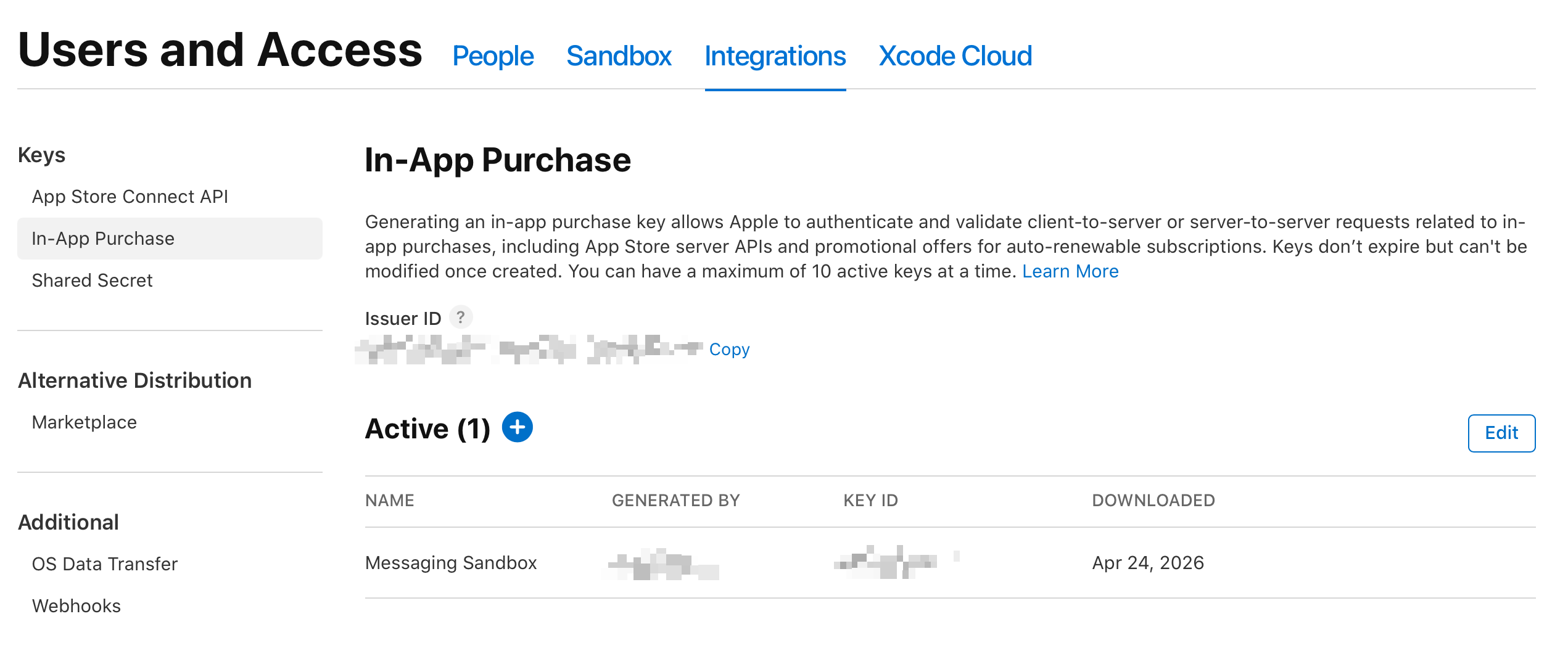
Together with the app’s bundle ID, the issuer ID, key ID, and private key make it possible to create the JWT required to authenticate requests against the Retention Messaging API.
Uploading Images
The first practical step is uploading all images that should later be used, either as the large image within a message or as the icon for a bullet point. To distinguish between the two, Apple expects an imageSize value. This can either be FULL_SIZE, which is also the default, or BULLET_POINT. In production, each image has to be reviewed and approved by Apple before they further can be used. In sandbox mode, images are automatically approved.
Creating Messages
Once the images are uploaded and approved, the next step is creating the messages themselves. Every message requires a header and a body. Optionally, a previously uploaded image can be attached as the main image, in which case alt text is required. For bullet points, each entry must contain text, a bullet image, and alt text.
For switch-plan and promotional-offer messages, things are more limited. Those messages still require a header and a body, but they must remain text-only.
As with images, messages must be approved before they further can be used.
Setting the Defaults
Once images and messages are uploaded, the final step is configuring a default for a specific product. More precisely, a default is configured for a specific combination of product ID and locale. If no default message is configured for a given locale, no retention message will be displayed there. For example, setting a message for en-US does not automatically make it available for en-GB, even though both are English locales.
Analytics
Apple also provides a dedicated analytics report for retention messaging. This report makes it possible to understand how often retention messages were shown, what type of message was selected, and whether users ultimately canceled or decided to keep their subscriptions.
In addition to the usual metadata, such as date, app identifier, platform version, device type, and territory, the report also contains retention-specific fields. These include information about the current subscription, the subscription group, the type of retention message that was shown, and whether the selection came from a default configuration or from the realtime flow.
The most important part of the report is the event data. This makes it possible to determine whether the cancellation screen was shown, whether users actually canceled, or whether the subscriptions were effectively saved. Apple also provides a save-type field that helps distinguish whether subscriptions were saved because users switched plans, redeemed offers, or simply decided not to continue with the cancellation.
Overall, Apple provides a fairly useful dataset for evaluating whether retention messaging works at all, and whether one type of message performs better than another.
If you want to dig deeper into this kind of App Store Connect data and many other hidden reports, pre-order my new app ConnectWizard.
TL;DR
With the Retention Messaging API, developers can show plain text messages, messages with a large image, messages with bullet points, switch-plan suggestions, and promotional offers in the subscription cancellation flow for their app’s subscriptions. To make this work, images first need to be uploaded, messages then need to be created, and defaults can then be configured per product ID and locale for all text-based variants. More advanced setups, such as switch-plan suggestions and promotional offers, require a dedicated realtime endpoint with custom server-side logic, because they cannot be configured as defaults.